
One Inbox. Every Lead. Full Visibility.
Your sales team handles every WhatsApp conversation from one workspace — with auto-qualification, lead scoring, and instant assignment built in.
Live Preview
This is what your team sees every morning
Real conversations, assignments, and lead signals in one Team Inbox view.
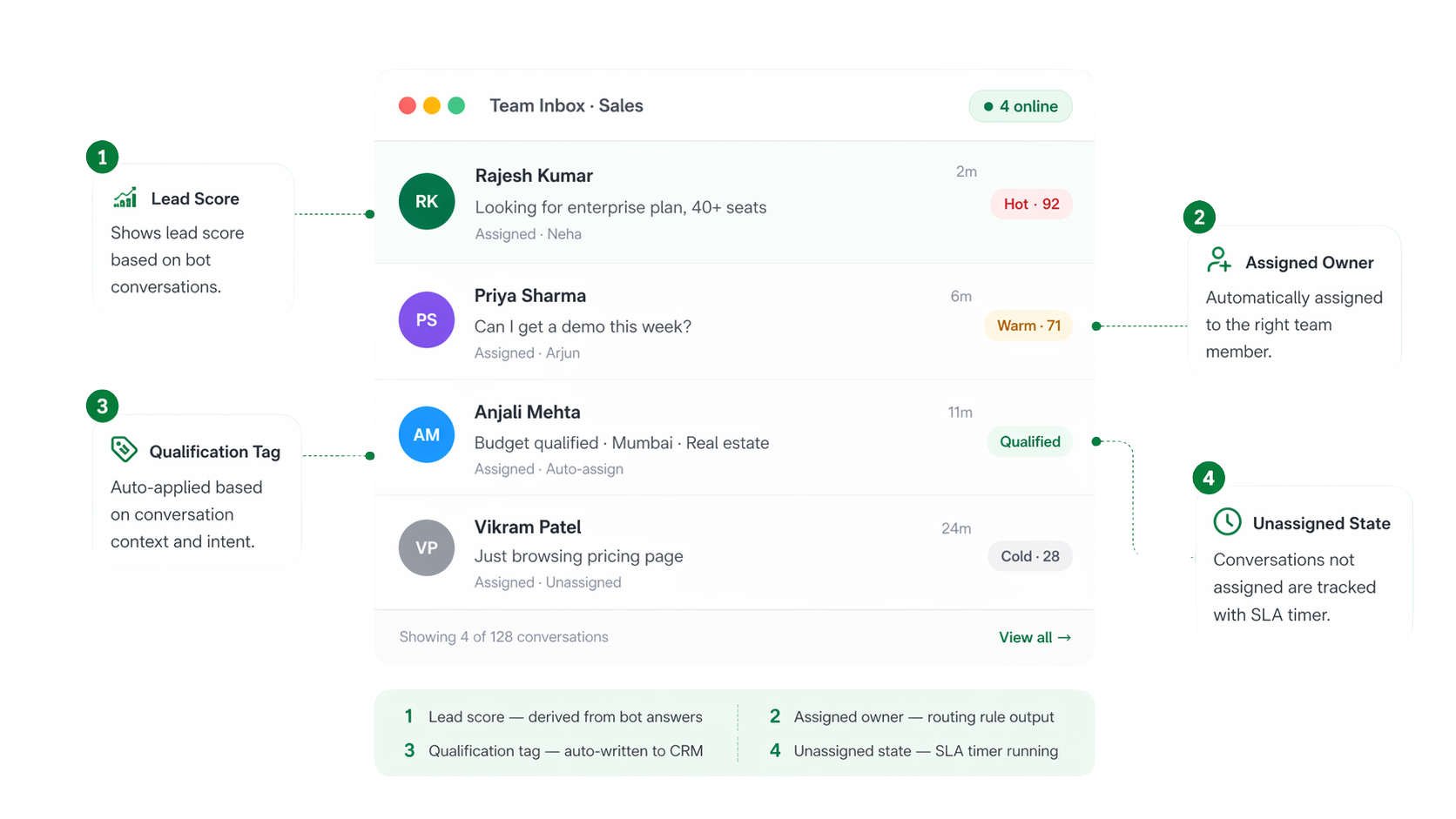
The difference between a shared inbox and an actual team inbox
Before XploreByte
- Leads arrive in a rep's personal WhatsApp — manager can't see them
- Two reps reply to the same customer; context collides
- Hot leads sit unread for an hour before someone notices
- CRM data and chat history live in different tools, copy-pasted manually
- No way to know which rep is overloaded vs idle
With Team Inbox
- Every lead lands in a shared workspace visible to the whole team
- Assignment + collision detection prevents duplicate replies
- Auto-assignment under 30 seconds, SLA timer starts instantly
- CRM + inbox are one — contact records update from chat automatically
- Live workload view; reassign with one click
A lead's journey
From WhatsApp ad click to assigned rep in under a minute
Lead clicks WhatsApp Ad
Facebook, Google, or your website widget.
Bot qualifies in 4 questions
Budget, product, city, timeline — captured in chat.
Score assigned, record enriched
Contact updated in CRM with all answers.
Auto-routed to best-fit rep
Based on territory, language, or round-robin.
Rep opens with full context
History, score, notes — zero re-asking.
Core capabilities
Six things your team gets the day you switch
Instant Assignment
New leads are routed the moment they message — by source, language, territory, or round-robin. No shared queue to fight over.
Auto-Qualification
Bot captures budget, intent, city, and product interest — all written back to the contact record before a human ever opens the chat.
Lead Scoring
Every conversation gets a Hot / Warm / Cold score based on answers, response behaviour, and CRM data — so reps work the best leads first.
Internal Notes & @Mentions
Loop in a teammate without leaving the conversation. Notes stay internal — customers never see them.
SLA & Response Timers
Set first-response targets per team. Alerts fire before breach, escalations route to managers, timers pause outside working hours.
Live Agent Analytics
Per-agent response time, resolution rate, and CSAT — manager dashboards built for coaching, not vanity metrics.
01 · Routing
Every lead routed the moment it lands in your workspace
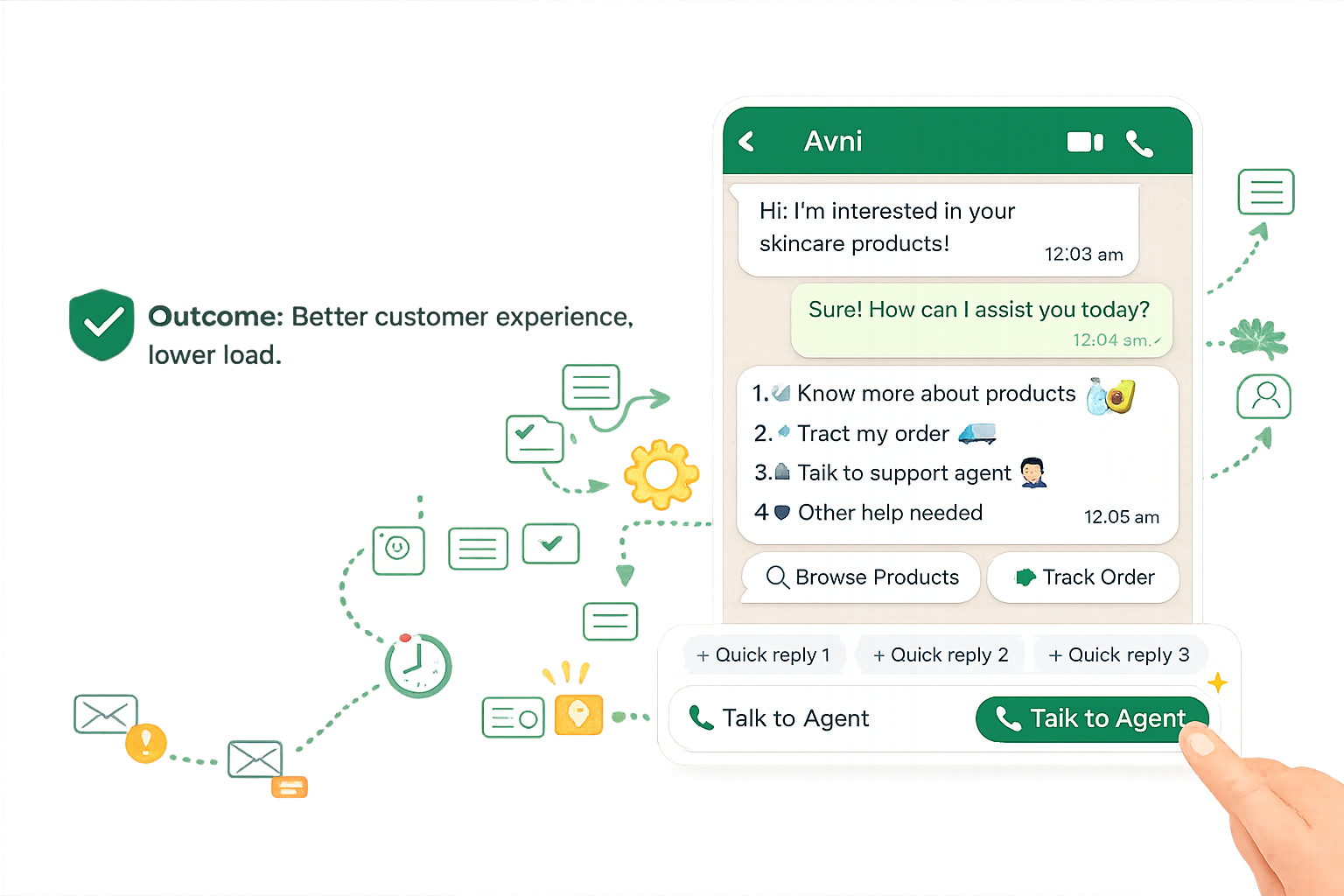
Define routing rules once. The inbox keeps up with your funnel — no manager triaging, no shared queue to argue over.
- Round-robin, territory, language, or skill-based rules
- Manual override and re-assignment in one click
- Out-of-hours handling with auto-reply + morning queue
- Workload balancing so no rep gets buried
02 · Context
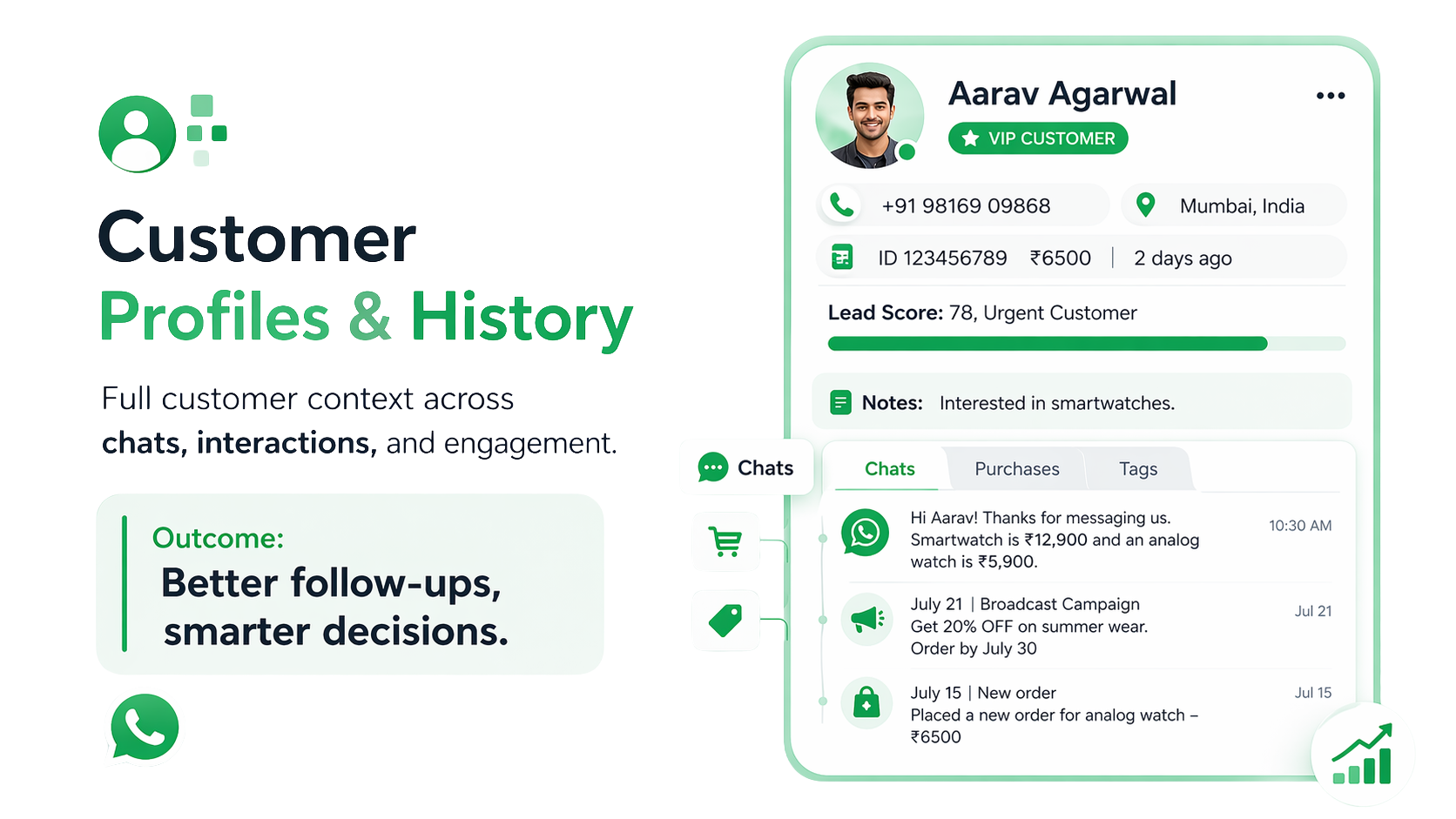
The full customer profile surfaces inside every conversation
Past orders, previous chats, CRM tags, custom fields — all on the right pane. Agents never ask "can you remind me of your details?" again.
- Order history, tags, and CRM data in the sidebar
- Full conversation timeline across every channel
- Custom fields sync from your CRM in real time
- Edit contact details without leaving the inbox
03 · Operations
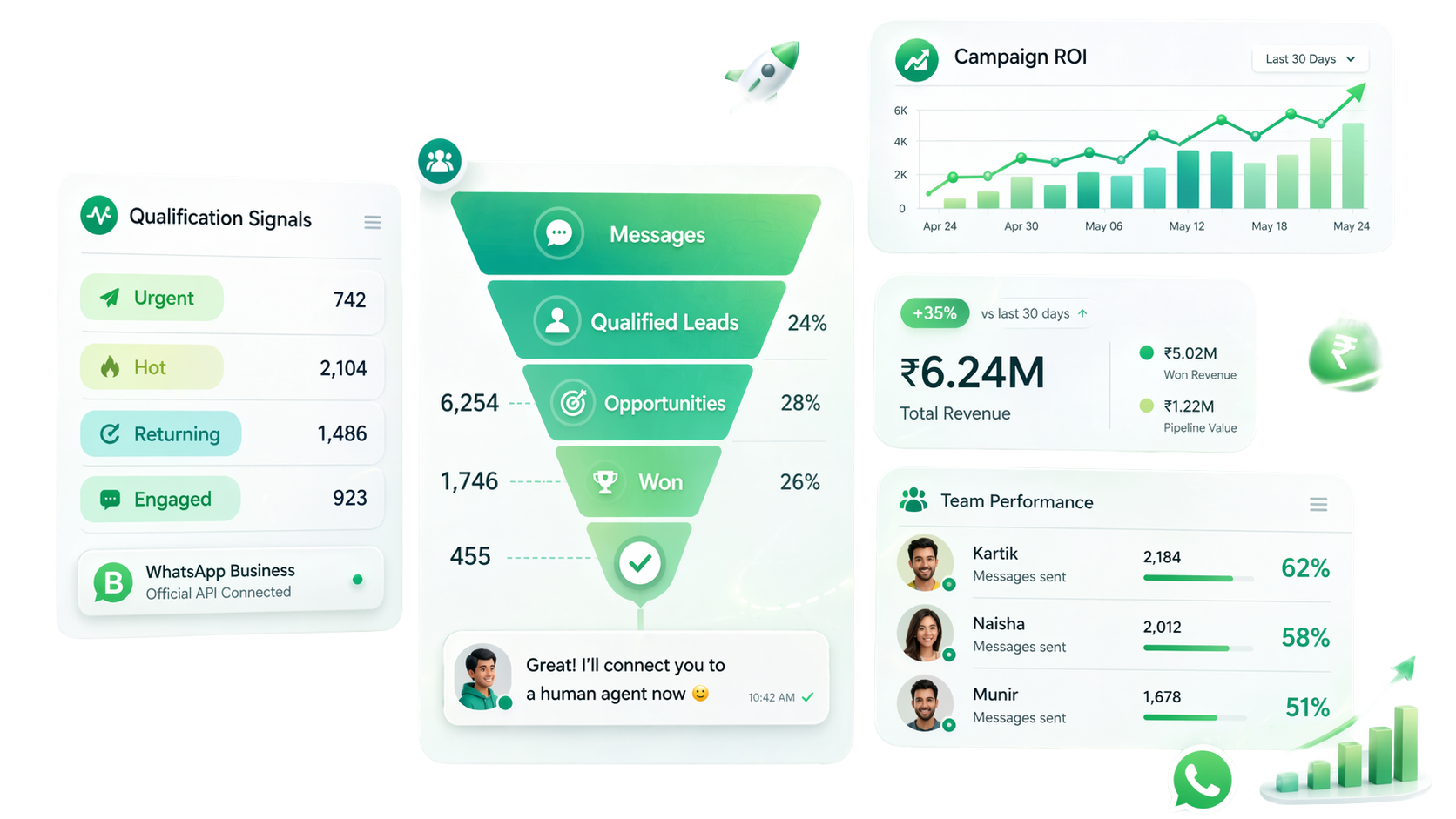
Know the health of your pipeline without opening a spreadsheet
A live operations dashboard shows who's overloaded, which conversations are about to breach SLA, and how the team's trend lines are moving — all in one place.
- Per-agent response time and resolution rate
- SLA breach alerts before they happen
- Conversation volume by team, channel, and hour
- One-click export for weekly reviews
How it compares
Not every "shared inbox" is a team inbox
| Personal WhatsApp | WA Business App | Generic Helpdesk | XploreByte | |
|---|---|---|---|---|
| Shared across team | Up to 5 | |||
| Auto-assignment rules | Basic | |||
| Lead scoring on WhatsApp | ||||
| Bot → agent handoff | Add-on | |||
| Two-way CRM sync | Limited | |||
| SLA tracking & alerts | ||||
| Internal notes & mentions |
One Inbox. Every Lead. Full Visibility.
Your sales team handles every WhatsApp conversation from one workspace — with auto-qualification, lead scoring, and instant assignment built in.
Get Started
Every lead deserves a fast reply. Give your team the inbox to do it.
A 20-minute walkthrough with a product specialist — we'll map your team's workflow and show Team Inbox running on a live account.