
WhatsApp Payment: collect in chat and close faster.
Send payment requests from live chat or automation flows and track every status update in one place.
Core Capabilities
Designed to keep checkout close to the conversation
Payments work as a conversion layer across chat, automation, and operations — not a standalone finance step bolted on at the end.
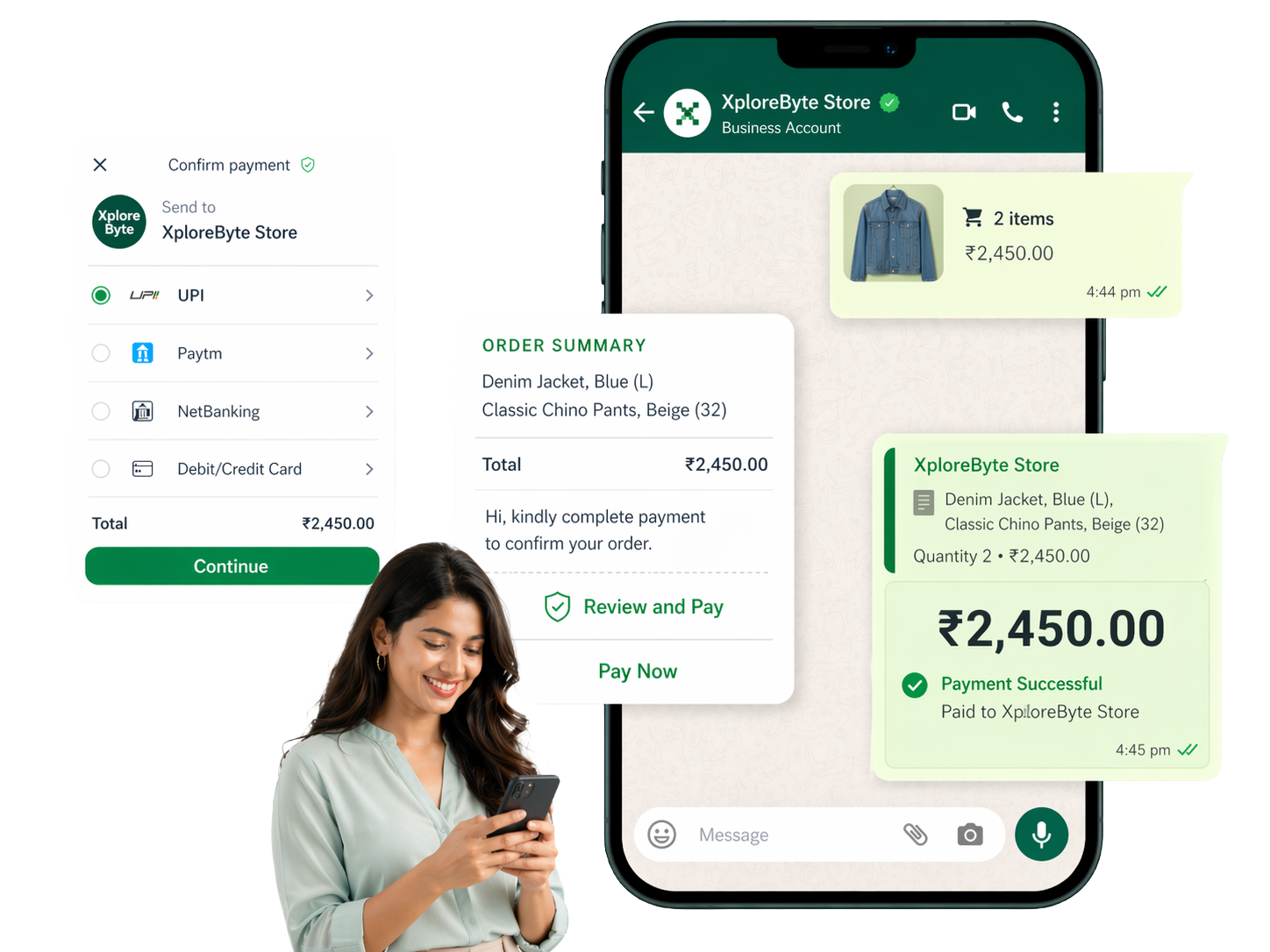
Send payment requests from live chat
Let agents share payment links at the exact moment buying intent is highest, without switching tools or losing conversation context.
Trigger payments from automated flows
Move customers from qualification, booking, or order confirmation into a guided payment step inside the same WhatsApp journey.
Track pending and completed payments
Give teams one place to review payment progress, spot incomplete attempts, and follow up with the right message at the right time.
Support the payment methods customers expect
Reduce friction with familiar digital payment options — UPI, cards, net banking — instead of pushing customers to a separate checkout.
Manage collections from a unified dashboard
Review recent payments, payment states, and collection activity without stitching together multiple systems manually.
Keep operations clear and auditable
Sales and support teams can verify payment status before confirming orders, bookings, or service activation — no guesswork.
How It Works
From conversation to payment confirmation in four steps
Customer shows buying intent
A customer reaches you from an ad, campaign, chatbot, or live conversation.
Agent or flow sends a payment request
The next action is clear: share the payment prompt at the right point in the conversation.
Payment is completed
The customer finishes the payment flow without being pushed through a confusing handoff.
Status updates back to the team
Your team sees what happened and can continue fulfilment, onboarding, or follow-up faster.
Team Visibility
Payments should help operations move faster, not create another blind spot
Once a payment request is sent, your team needs immediate clarity on what happened next — so fulfilment, onboarding, and follow-up don't stall while someone checks a separate tool.
Review paid, pending, and failed states without leaving the workflow
Confirm status before dispatch, booking confirmation, or service activation
Follow up on incomplete payments while purchase intent is still warm
Keep one operational source of truth instead of checking multiple tools
Payments dashboard
Collections, status, and follow-up visibility
Collected
INR 2.4L
Pending
18
Completion
71%
Order #XB-2418
INR 4,850
Consultation deposit
INR 1,200
Renewal invoice
INR 3,400
Why Teams Add It
Fewer steps, clearer follow-up, and less payment friction
Customer convenience
Customers don't need to restart the buying journey somewhere else just to complete the payment step.
Operational speed
Sales and support teams know faster whether to confirm, remind, retry, or escalate — from one dashboard.
Stronger conversion
Checkout sits closer to intent, which helps reduce drop-off between agreement and payment.
Use Cases
Useful anywhere payment is the next step in the conversation
Order confirmations and checkout nudges
Turn high-intent conversations into completed orders with a clear next step inside chat.
Deposits for bookings and appointments
Collect advance payments for consultations, classes, reservations, or service slots.
Invoice and fee collection
Share payment requests for tuition, services, subscriptions, or recurring dues in one conversation thread.
Payment follow-ups for pending customers
Re-engage customers who started but did not complete payment while the context is still fresh.
FAQ
Common questions
Which payment methods are supported?
XploreByte supports UPI, debit/credit cards, net banking, and payment links — covering the methods most Indian customers already use daily.
Can payment requests be sent from a bot flow, not just a live agent?
Yes. You can trigger a payment step inside any automated flow — after a booking confirmation, order summary, or qualification sequence — without any agent involvement.
How does my team know when a payment is completed?
Payment status syncs back to the shared inbox in real time. Agents see paid, pending, and failed states directly inside the conversation — no need to check a separate payment dashboard.
Who benefits most from WhatsApp Payments?
Sales teams, service businesses, and e-commerce operators who want fewer payment drop-offs. It works especially well when payment is the natural next step after a conversation — bookings, invoice collection, order confirmation, and renewal follow-ups.
Get Started
Show customers the payment step without breaking the journey.
See how XploreByte positions payment requests inside your WhatsApp workflow — for commerce, bookings, collections, and follow-up journeys.